Expense tracking, minus the homework
Write down what you spend.
In two taps.
Bought a coffee or grabbed a taxi? Tap the amount, tap a category — done. No setup, no jargon, no math.
Works offline · Light & dark themes · Your data stays on your phone
How it works
Three steps. That’s the whole app.
No dashboards to configure, no budgets to define first. Just start typing.
Type the amount
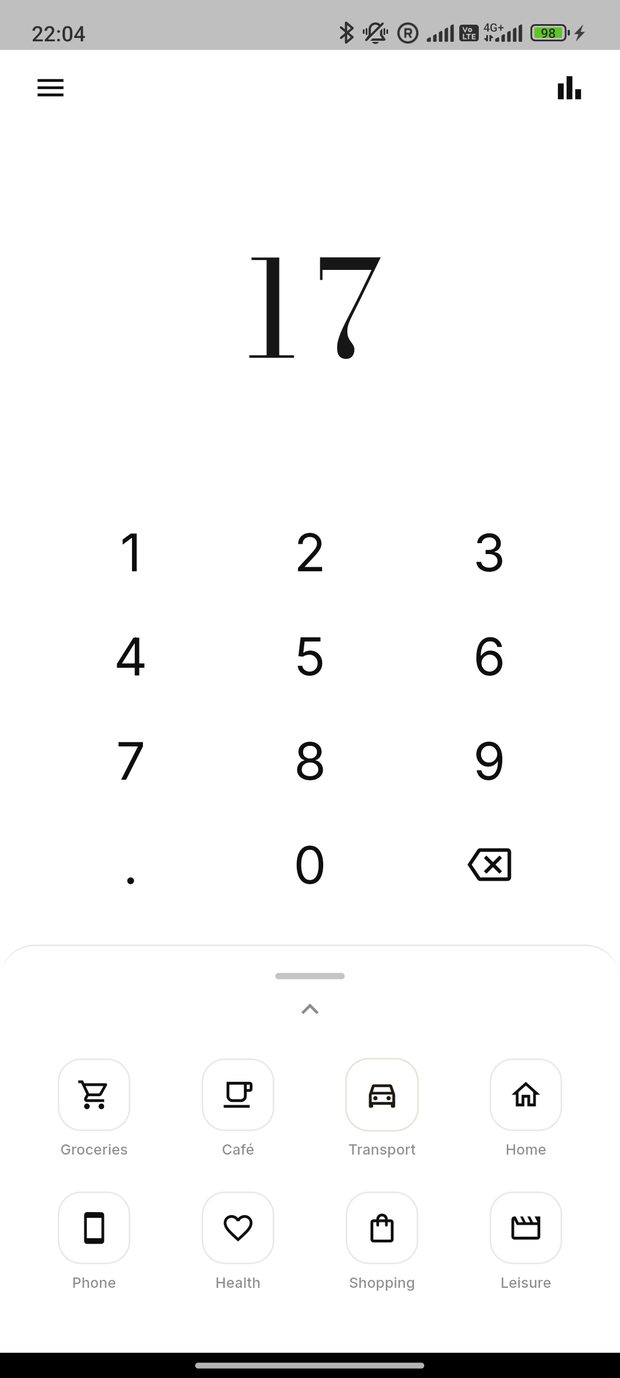
A big, calm keypad opens the moment you launch the app. Punch in what you paid.
Tap a category
Café, transport, groceries, health… pick one and the expense flies into your history.
See the picture
At month’s end, open Analytics to see exactly how much you spent — and on what.
Why Spendr
Everything you need. Nothing you don’t.
Most finance apps drown you in settings and terminology. Spendr is a clean sheet of paper and a pencil.
Two-tap logging
Amount, category, done. The fastest way to record a purchase you’ll find anywhere.
Clear analytics
Day, month or year. A simple chart and a ranked list show where the money actually went.
Recurring payments
Rent, phone, subscriptions — set them once and they post themselves every month, tagged “auto”.
Light & dark themes
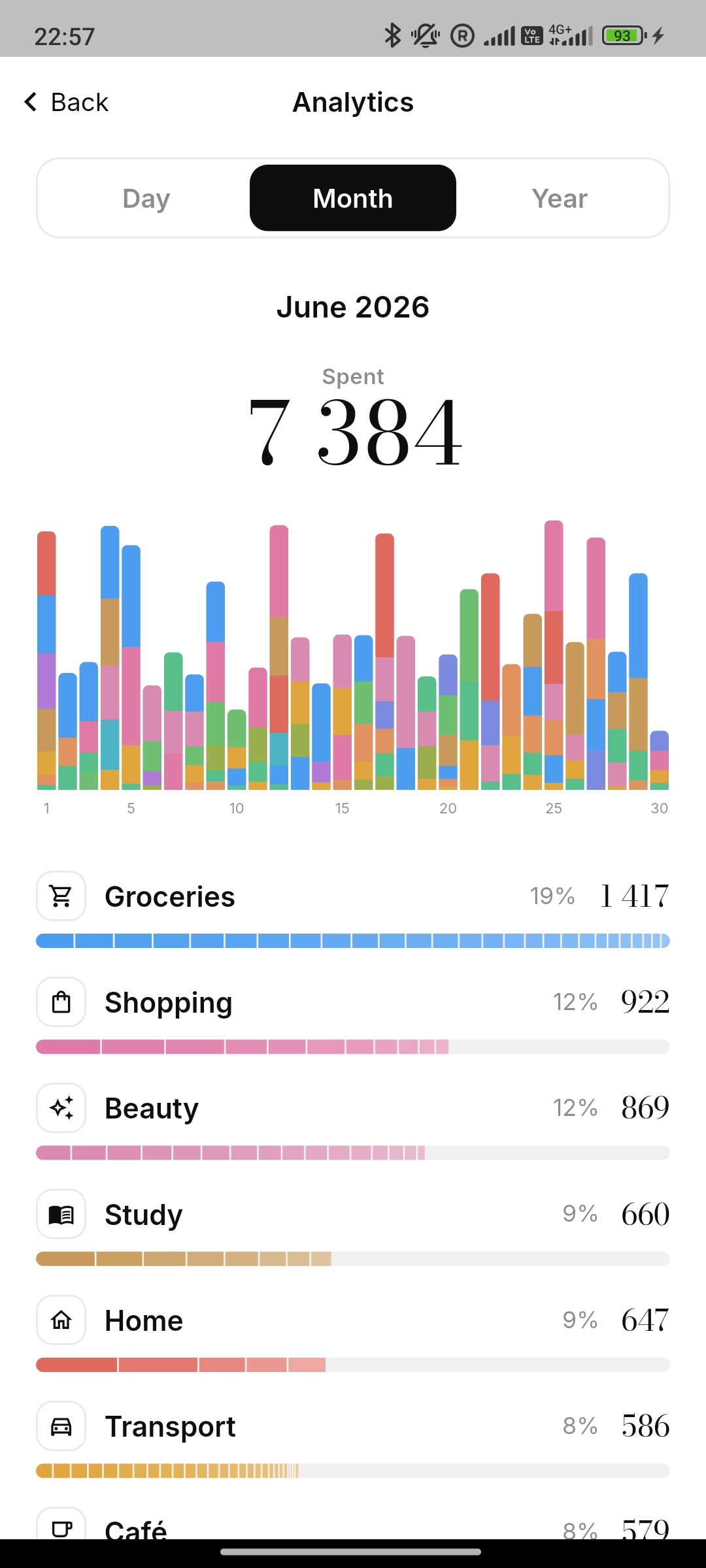
A crisp black-and-white paper feel by day, a soft graphite mode by night. Your call.
Private by default
Your expenses live on your phone. No account required to start, nothing to sign up for.
50+ categories
From groceries to travel to pets — ready out of the box, and you can add your own.
The keypad
Open the app. Start typing.
No blank “add transaction” form with ten fields. The number pad is right there, waiting. Type, tap a category, and watch the amount fly away.
- Big serif figures you can read at a glance
- Category picker one swipe away
- Zero fields to fill in
Analytics
See where it all went.
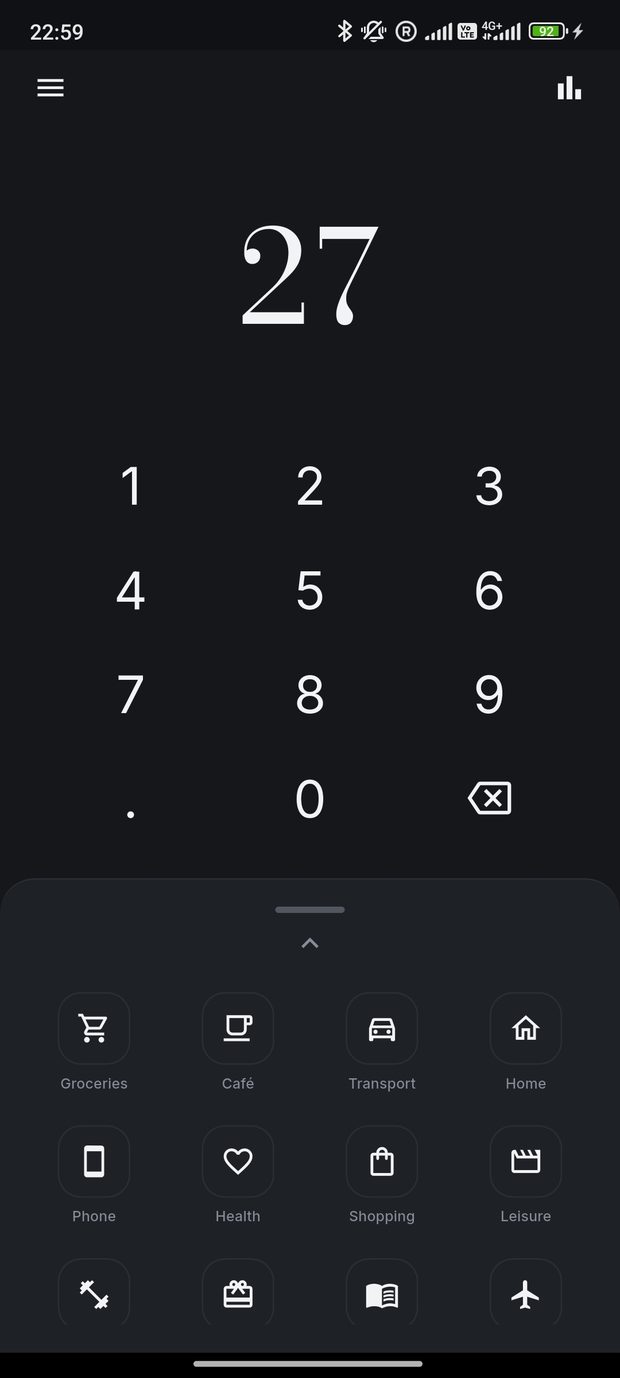
At the end of the month, one screen tells the story: total spent up top, a colourful daily chart, and every category ranked by how much it cost you.
- Switch between day, month and year
- Category breakdown with percentages
- No spreadsheets, no formulas
History & recurring
Every purchase, in order.
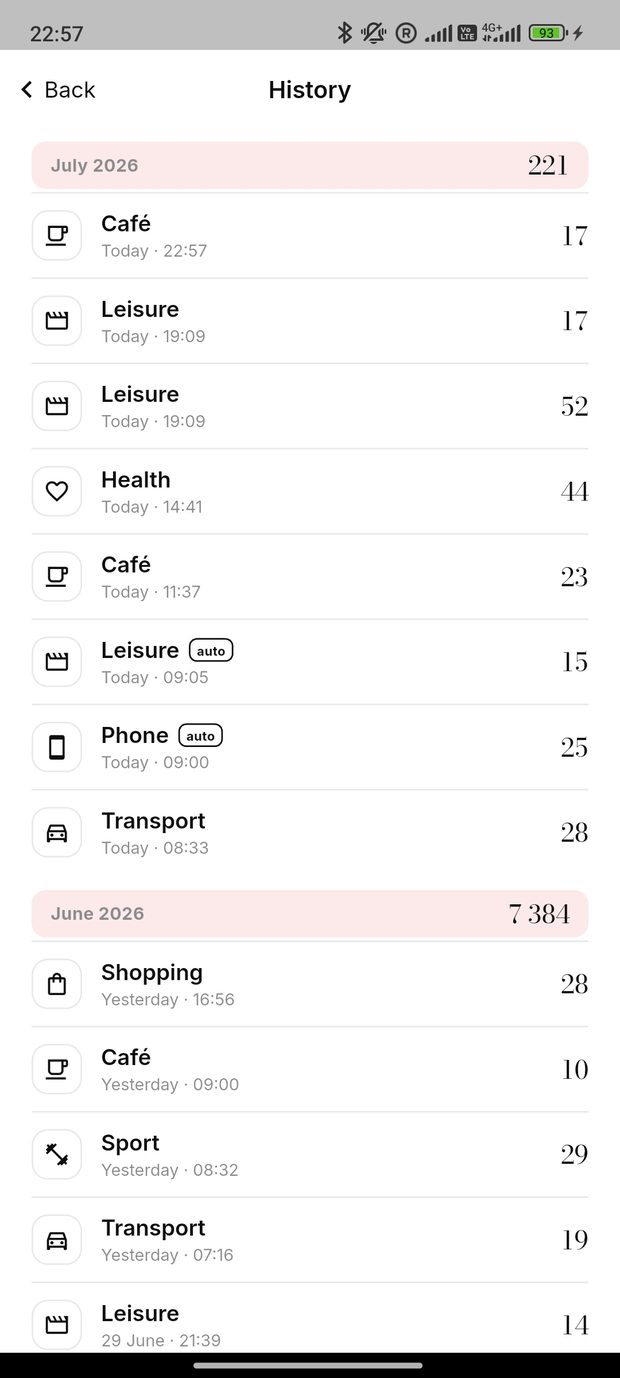
Scroll a clean, month-by-month feed of everything you’ve logged. Regular bills post automatically each month, marked “auto”, so you never forget them.
- Tap any entry to edit or delete it
- Monthly totals in every section header
- Set a monthly payment once — forget it
Made for people who value their time
Time is money.
So don’t spend it on budgeting apps.
You’re at the start of your career and money finally matters. You want to know where it goes — without turning into an accountant to find out.
There’s an ocean of personal-finance apps, and they all bury you in settings, categories to configure, and terms nobody explains. Spendr threw all of that out.
“It’s a clean sheet of paper and a pencil. Bought a coffee — write it down. A monthly bill showed up — write it down. At the end of the month you simply see the total.”
Pricing
Free to start. Yours forever after that.
Try everything for free. Love it? Unlock Spendr Pro with a single one-time payment — no subscription.
Everything to get going
- Two-tap logging & full history
- Analytics for day, month & year
- Light & dark themes
- Up to 1,000 expenses
Unlimited, forever
- Everything in Free
- Unlimited expenses — no cap
- Custom categories
- Pay once, keep it for good
Start tracking in the next 10 seconds.
Download Spendr, type your first amount, tap a category. That’s the whole tutorial.